Thursday, June 23, 2011

iOS 5 Beta Changelog - Part2

Continue from Part1


26.Ability to Increase Quote Level in Mail Settings


27.Twitter integration on contacts

28.New Facetime option in Settings window. You can also set your facetime caller ID to be your email or your phone


29.New Private Browsing option in Safari

30.Ability to remove custom Website Data


31.Ability to toggle iMessage ON or OFF in settings.


You can now set how much time a message alert has to be shown again if you don’t respond to the phone when it notifies of a new message.

32.Separate settings for Music and Videos


33.Photo Stream-  Photos taken on your iPhone are immediately available on your other iDevices and computers running the iCloud client.

34.Toggle ON or OFF for Automatic Downloads and Setting to use Automatic Downloads only when the device is connected to WiFi

35.Purchase History in App Store.

36.iCloud Backups

37.If you tap and hold on a song name in Music.app, a popup shows all the details.

38.Ability to drag email address’ between fields while sending a mail in Mail.app


39.Mail notifies you before sending a mail if you’ve forgotten to put a subject line.                                          

40.New and updated tiny icons on Mail for Windows Live 
Mail, Gmail, Exchange etc.


iOS 5 Beta Changelog - Part1


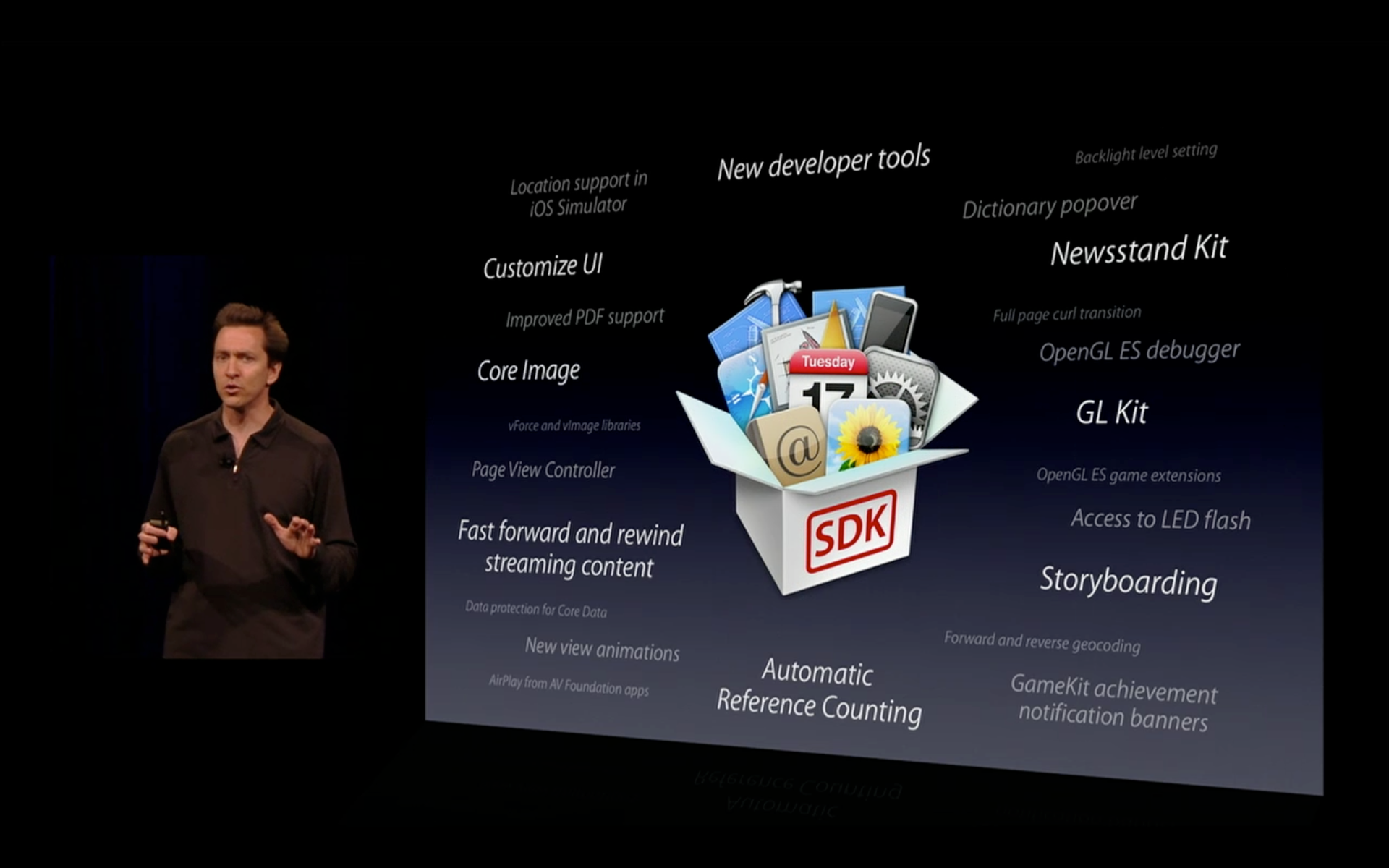
Few weeks back Apple introduced iOS 5 the new software update for iOS to take OS into next level with 200 features.

Now its only available to developers as beta version.I just downloaded the developer version and spent couple of weeks to get the juice of the iOS 5. Lets go through the features 
1. Quick Camera launch from Lock screen

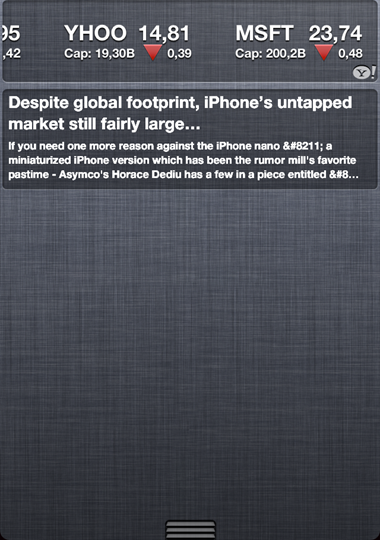
2. Swipe down from top of screen to see app notifications and the stocks and weather built into Notifications Center

3. iPod app is renamed to Music with new icon.

4. New Videos.app

5. iMessage -A BBM style messaging service. iMessage lets you send messages to any iMessage enabled iDevice over 3G or WiFi.

SMS bubbles are green in color and iMessage appears baby blue.
6.Newsstand for Magazines and Newspapers -Manages your digital newspaper and magazines and allows you to browse the iTunes Newsstand to download new magazines and manage subsriptions. A feature I am very much looking forward to as I love consuming magazines on my iPhone. 

7.Ability to Create and Delete Photo albums.

8.System wide Twitter Integration -A Twitter client is now fully integrated into iOS 5, which enables you to Tweet from almost anywhere in the OS and allows you to tweet your pics, links and location etc. .

9.Ability to edit photos

10.New Twitter keyboard with # and @ buttons.

11.New rounded buttons

12.Notification Center -Each app can have its notification centre options configured individually. Choose to have the app show in notification centre, how many items to show and weather or not to appear on the lock screen. An alert style can also be chosen from a choice of: None, Banners (the new style) or Alerts (the old style).
You can choose what applications to be included in Notifications Center
13.Ability to rename your device within the settings.

14.Over the Air Delta Software updates will automatically notify you when there is an iOS software update available and allow you to install it over the network without needing to plug into your pc or mac.

15.The Usage screen now shows how much of the memory is consumed by each app

16.Wireless iTunes Sync -syncs your iDevice with your iTunes library over WiFi anytime you are on the same network. 

17.You can enable or disable Voice Dial while the phone is locked in Security Settings
18.Ability to add keyboard shortcuts. Default one included “CUL” which expands to “Call you Later !” when you type it anywhere.


19.New Speak Selection option in Accessibility Settings


20.Ability to add custom vibrations


21.Ability to Set Left or Right for Mono Audio

22.LED Flash for Alerts

23.New Assistive Touch Settings

24. iCloud: Automatically backs up your Mail. Contacts, Calendars, Reminders, Bookmarks, Notes, and Photos to to Apples iCloud service and makes them available to all your iDevices as well as your PC or Mac with the iCloud client installed.

25.You can create additional @me.com email address within the Mail settings

JailBreak : RSS News Widget For iOS 5 Notification Center


After the release of  iOS 5 beta to developers , the  jailbreak community takes advantage of notification center to develop many 3rd-party widgets to replace boring bundled Stock and Weather

RSSWidget 

  • With help of this cydia tweak , now you can check your  RSS feeds from notification center instead of opening a separate application in order for it to refresh.
  •  Download it from the Cydia Store and add the repository http://qwertyoruiop.com/beta
After download this tweak , you need to do some config stuffs and steps are below.
Steps:
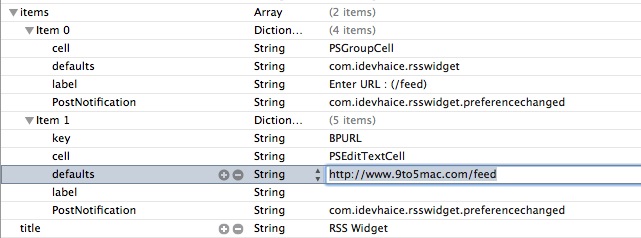
  1. Using your favorite FTP client, SSH into your iPhone and find the following location: / System / Library / WeeAppPlugins / RSSWidget.bundle /
  2. Open com.idevhaice.rsswidget.plist
  3. Add your RSS feeds to the field shown in the image below

Once the iOS 5 will be available to the public some time in Sept and you can see more widgets from Jailbreak community.

Unlocked Apple iPhone 4 Available for $649 in USA


Few weeks back both Airtel and Aircel launched the carrier locked iPhone 4 @ Rs 34,000. Now u can get the  Unlocked iPhone 4 across all the Apple stores in the USA and also purchase at online US Apple Store. 
Price in India and  US
Its better to buy from US , than the costly locked version from Airtel and Aircel and free to use any carrier in india
US
India
16 GB- 34,500
32 GB- 40,900